 OPEN FULL-SIZE STEAM SCREENSHOT
Shop and on-foot prompts shown in the store screenshots
One official Steam screenshot shows these prompts at the shop. The screenshot is the evidence source; input remapping or a later patch may change them.
- Tab — Open the Tablet
- Q — Tools
- T — Daily Quests
Riding prompts shown in the store screenshots
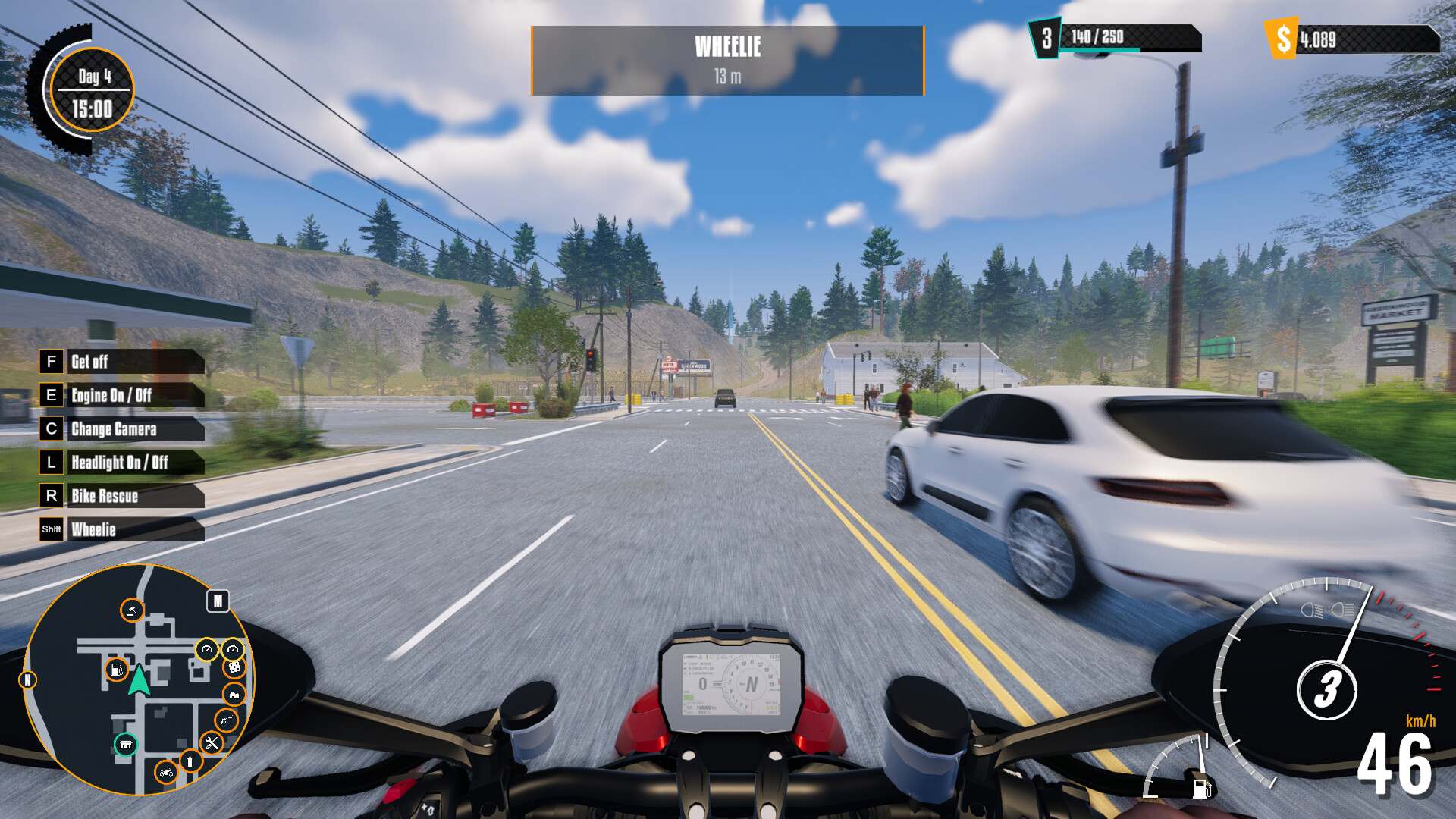
A separate official Steam screenshot shows these prompts while riding. Confirm them in the current build and settings before relying on them.
- F — Get off
- E — Engine On / Off
- C — Change Camera
- L — Headlight On / Off
- R — Bike Rescue
- Shift — Wheelie
What this reference does not claim
The screenshots do not provide a full movement map, gamepad layout, remapping options, accessibility settings, or assurance that every keyboard layout uses identical bindings. We have not independently tested the launch build or rebound controls.
If a key does nothing
- Check that you are in the correct context: on foot, interacting with the tablet, or mounted on the bike.
- Open the in-game settings and read the binding currently assigned to that action.
- Check whether another interaction prompt is active before pressing the key again.
- For a repeatable issue, record the build, input device, action, and screenshot.
Quick answers
Where are these keybinds from?
They are transcribed from the keyboard prompts visible in official Steam store screenshots. Check your current in-game settings because bindings can change.
Does this page include controller bindings?
No. We have not confirmed a complete controller map or remapping layout.
We have not independently tested this in the released build. Share the in-game screen, build number, and steps if you find a correction.